
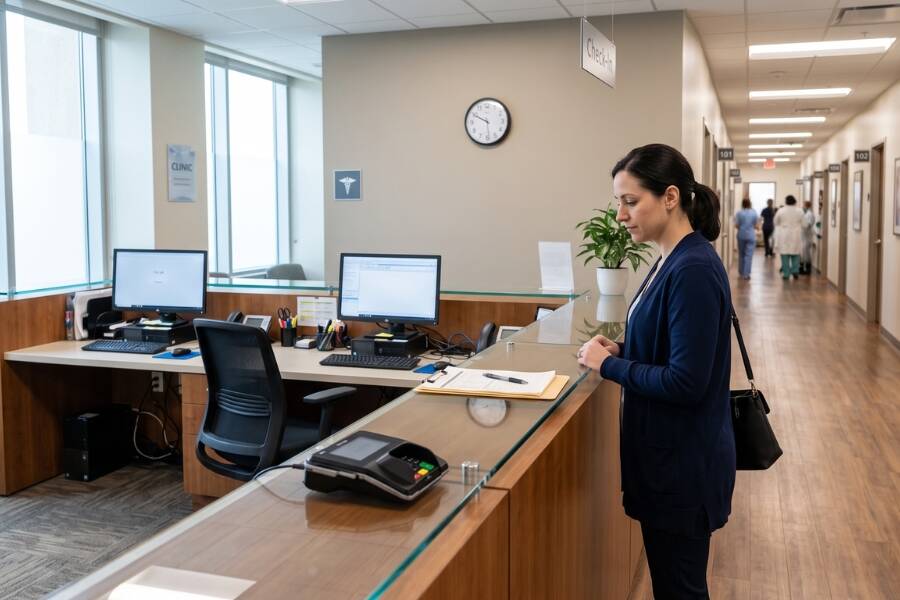
Physical Intake Points Present HIPAA Security Gaps: Paper sign-in logs, unmonitored counters, and overhead verbal check-in procedures expose Protected Health Information (PHI) to visual and auditory privacy breaches.
Administrative Turnover Accelerates Revenue Leakage: Inconsistent front-desk staffing is directly associated with skipped real-time insurance eligibility checks, uncollected copays, and lower rates of scheduled follow-ups.
Hybrid Virtual Operations Eliminate Point-of-Entry Exposure: Unifying enterprise hardware kiosks, digital intake workflows, and dedicated live virtual receptionists maintains constant lobby coverage and strengthens intake compliance.
A front desk operation vulnerability is a procedural or structural weakness in a practice’s intake workflow that exposes it to data privacy breaches, uncollected revenue, physical safety threats, or administrative downtime. Front desk areas represent the primary boundary where patient traffic, financial transactions, and health records intersect. Relying on single-threaded human staffing creates an immediate risk whenever an administrative team member steps away, manages phone queues, or is unexpectedly absent.
Maintaining strict physical access controls at administrative entry points is vital to protecting sensitive health data under federal standards established by the U.S. Department of Health and Human Services (HHS). Physical access gaps—such as open computer screens displaying Electronic Medical Records (EHR) or paper intake forms left on counters—violate core HIPAA Privacy and Security Rules. At the same time, administrative friction at check-in degrades point-of-service revenue-cycle performance, resulting in financial drop-offs before clinical care is delivered.
The primary risk indicators in a front desk include unattended front counters, audible disclosure of PHI during verbal intake, high administrative turnover, and declining point-of-service collections. Evaluating these risks requires auditing four operational pillars: physical security, HIPAA compliance, financial risk management, and staffing coverage.
Unattended front desks compromise facility access control. When front desk personnel step away for breaks or back-office duties without coverage, unverified visitors can walk past the front desk into restricted clinical zones, creating security risks for staff and medical inventory. For a deeper look at managing entry points, explore our analysis on The Future of the Personless Front Desk in Healthcare.
Verbal check-in conducted at open front desks frequently causes patients to disclose sensitive personal details within earshot of waiting-room occupants. Furthermore, physical sign-in sheets expose patient names and appointment reasons to unauthorized onlookers. According to the HHS Office for Civil Rights (OCR), physical and administrative access complaints remain a persistent source of investigated HIPAA violations. Read about HIPAA-compliant Virtual Medical Assistants.
Front desk staff who answer inbound phone calls while greeting patients often skip critical registration steps. This results in unverified insurance coverage, missed upfront copay collections, and higher post-visit collection costs. MGMA Research Reports highlights that rising operational costs paired with increasing patient deductibles make collecting patient balances upfront essential to maintaining medical group profitability. Practices looking to improve their clinical registration and payment workflows can explore secure online patient intake solutions.
High administrative turnover creates operational volatility and increases training costs. Industry workforce data from the American Hospital Association (AHA) emphasizes that frontline administrative and support roles experience turnover rates ranging from 19% to 33%, driving up replacement costs and causing front desk instability. For proven strategies on stabilizing your intake team, read our guide on How to Mitigate Healthcare Front Desk Turnover.
Use this operational risk evaluation matrix to evaluate your medical practice’s current intake vulnerabilities across key functional areas.
| Functional Area | Low Vulnerability (Optimized) | Moderate Vulnerability | High Vulnerability (Critical Risk) |
|---|---|---|---|
| Patient Identification & Intake | Digital check-in with encrypted intake forms; private data capture | Paper intake forms filled out in the lobby; manual front-desk entry | Paper sign-in sheets on desk; verbal verification of PHI in lobby |
| Front Desk Coverage | 100% continuous coverage via remote virtual receptionists and kiosks | Coverage drops during lunch, breaks, or staff meetings | Unattended desk; clinical staff called away to register patients |
| Point-of-Service Collections | Integrated real-time payment collection during patient check-in | Manual payment requests; inconsistent copay collection | Payments deferred to post-visit billing; high uncollected balance rates |
| Physical Access Control | Controlled access points; continuous identity verification at entry | Visual monitoring by busy administrative staff | Unrestricted lobby access straight into clinical hallway zones |
Monitor arrival patterns during peak morning and afternoon check-in windows. Record queue wait times, lobby congestion, and instances where arriving patients wait at an empty desk counter.
Observe the waiting area during busy hours. Determine whether patient names, insurance details, or medical reasons for visits are audible to other patients. Verify if computer screens displaying EMR systems are visible from the patient side of the counter.
Compare total daily copays and past-due balances against actual payments collected at check-in. Quantify how much revenue is pushed to post-care billing, which carries higher administrative overhead and default rates.
Measure administrative turnover rates over the previous 12 months. Calculate direct recruitment and onboarding costs, as well as indirect costs, such as intake error rates among new hires.
Determine if unverified visitors can enter treatment areas without staff intervention. Assess whether administrative staff feel unsafe when managing confrontational visitors alone in open reception settings.
Comparing reception management approaches helps practices identify the appropriate balance between operational cost, security, and coverage.
| Feature / Capability | Traditional On-Site Staffing | Standalone Self-Service Kiosks | WelcomeWare Hybrid Platform |
|---|---|---|---|
| Continuous Desk Coverage | Vulnerable to breaks, illness, and turnover | Full uptime; lacks human assistance for complex issues | Continuous coverage combining kiosks with live remote agents |
| PHI Audio Privacy | High risk during loud verbal check-in | High visual privacy; limited live dialogue | Handset attachments for private audio conversations |
| Insurance Verification & Collections | Dependent on staff bandwidth and manual entry | Basic payment processing; no complex handling | Real-time insurance checks and copay collection by trained agents |
| Administrative Flexibility | Tied to physical desk locations | Restricted to pre-programmed touchscreen workflows | Remote agents handle front desk intake and back-office tasks |
Eliminating front desk vulnerabilities requires an integrated solution that pairs secure hardware touchpoints with administrative support. WelcomeWare provides a front desk kiosk and staffing platform designed specifically for healthcare practices and hospital systems.
By combining touchscreen hardware, management software, dedicated virtual receptionists, and actionable analytics, WelcomeWare addresses operational risks:


