
More Hiring Does Not Always Create More Capacity: Adding on-site receptionists increases overall payroll and management overhead without resolving the competing workflow conflicts that cause front-office check-in delays and phone queues.
Decoupled Workflows Enable Sustainable Growth: Separating synchronous patient-facing check-in from asynchronous administrative tasks allows multi-site practices and hospital systems to stabilize operating margins and optimize front-desk throughput.
Hybrid Virtual Models Extend Front-Office Capacity: Combining enterprise hardware, secure digital intake, and centralized remote staffing provides resilient coverage across multiple locations while reducing recruitment stress and the risk of location-bound vacancies.
Many medical groups and multi-location clinics today are severely affected by healthcare administrative staffing challenges. Adding on-site receptionists increases overall payroll and management overhead without resolving the competing workflow conflicts that cause front-office check-in delays and phone queues. Separating synchronous patient-facing check-in from asynchronous administrative tasks allows multi-site practices and hospital systems to stabilize operating margins and optimize front-desk throughput.
Combining enterprise hardware, secure digital intake, and centralized remote staffing provides resilient coverage across multiple locations while reducing recruitment stress and overcoming persistent healthcare administrative staffing challenges.
A front-desk staffing tipping point can occur when rising labor costs, coverage gaps, retention challenges, or growing patient demand expose deeper problems in the intake process. At this stage, front-office bottlenecks may stem less from an absolute shortage of personnel and more from workflow structure, fragmented responsibilities, and inefficient task allocation.
Healthcare organizations facing rising patient volume routinely default to hiring additional local receptionists and administrative coordinators. However, the Medical Group Management Association (MGMA) reported that 84% of surveyed medical groups had higher year-to-date operating costs during the same period in 2025. Among organizations reporting increases, costs rose by approximately 11% on average, with wages, benefits, staffing shortages, and other labor-related expenses cited as primary drivers.
These pressures make it increasingly important to determine whether another hire will create measurable capacity or simply add cost to an inefficient intake structure. When new headcount does not produce a proportional improvement in patient throughput, check-in speed, coverage, or staff workload, the organization may have reached a point of diminishing operational returns.
Administrative workload can also consume substantial capacity among healthcare workers. A 2025 US study found that physicians, advanced practice registered nurses, and physician assistants spent approximately 36 minutes documenting in the EHR for every 30 minutes spent seeing patients. Although the finding does not measure front-desk workload specifically, it illustrates how documentation requirements and fragmented workflows can contribute to cognitive burden and burnout across healthcare organizations.
Evaluating whether a practice has reached its staffing tipping point requires assessing the marginal value generated by the most recent administrative hire. Reviewing the period immediately before and after the last hire reveals whether added payroll improved check-in duration, phone response rates, registration accuracy, and overall patient volume.
Operations directors, practice administrators, and multisite clinic leaders can assess whether added headcount is creating measurable capacity or whether persistent strain, rising labor costs, and hiring challenges signal that the current staffing model has reached its limit by tracking five indicators:
Front-office bottlenecks may reflect workflow design as much as staffing capacity. Traditional reception models bundle competing responsibilities into a single physical station, forcing staff to switch constantly between face-to-face patient interactions and administrative task execution without maximizing operational output or streamlining multi-location workflows.
A local receptionist is expected to greet arriving patients, handle inbound call queues, verify insurance eligibility, collect copays, manage schedule changes, and scan paper identification documents simultaneously.
By separating synchronous visitor interactions from asynchronous administrative support, practice leaders can redesign front-office operations into two distinct work streams:
Moving asynchronous tasks out of the physical lobby allows on-site facilities to remain streamlined while administrative workloads are processed centrally.
Evaluating how to fund your next unit of administrative capacity requires assessing total cost of ownership, operational resilience, implementation speed, and multi-location scalability across available administrative strategies, moving beyond simple wage comparisons to analyze management overhead and vacancy exposure.
| Decision Metric/Requirement | In-House Front-Desk Staffing | Traditional Staffing Agency | Hybrid Virtual Front-Desk Platform |
|---|---|---|---|
| Incremental Cost Structure | High fixed wages, payroll taxes, health benefits, PTO, and recurring recruitment fees | High agency markups accompanied by persistent turnover and repeated retraining expenses | Optimized operating costs via shared remote management and centralized hardware assets |
| Time to Full Productivity | 4–8 weeks for recruiting, interviewing, background checks, and local workflow onboarding | 1–3 weeks, though temporary workers require ongoing oversight on clinic-specific protocols | Potentially faster deployment through standardized software interfaces and trained remote administrative teams |
| Exposure to Local Vacancies | High; unexpected call-outs force local clinical managers or medical assistants to cover reception | Moderate; agency replacement lead times vary based on local labor market availability | Lower exposure to location-specific vacancies; centralized staffing pools provide built-in redundancy across operating hours |
| Management Hours Required | High; local managers oversee daily attendance, scheduling, performance, and local training | Moderate to High; requires ongoing vendor oversight, shadowing, and invoice auditing | Low; platform workflows and dedicated remote managers handle routine front-desk oversight |
| Ability to Absorb Volume Fluctuations | Fixed local capacity; creates lobby bottlenecks during peak hours and idle time during lulls | Rigid; modifying agency coverage hours typically requires contract adjustments | Flexible; shared remote teams absorb call and check-in surges across multiple sites |
| Multi-Location Scalability | Requires adding local headcount and workspace hardware as new facilities open | Requires managing separate staffing agency contracts and agency markups per site | Extends centralized coverage across multiple clinic sites without full local teams |
To evaluate a hybrid model, leaders must compare the full annual cost of the current staffing structure with the proposed platform investment and any measurable operational gains. Utilizing a structured financial framework clarifies true return on investment and highlights key marginal-capacity metrics before altering facility operations.
Practice leadership can utilize this financial evaluation framework to establish a defensible return on investment:
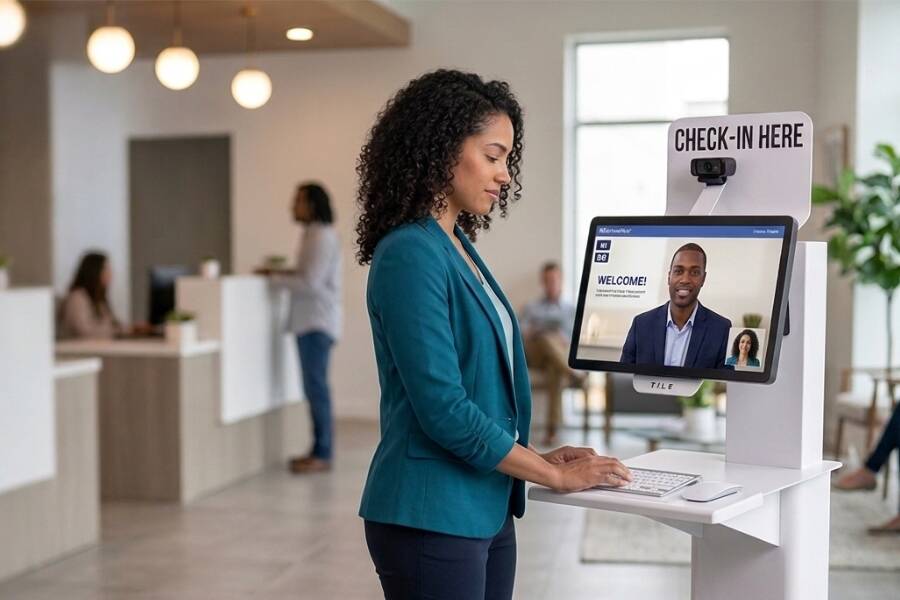
In practice, separating administrative workflows creates three distinct patient pathways: self-service check-in, live remote assistance, and escalation to on-site clinical staff. This structure streamlines routine registration through integrated hardware and centralized support platforms while preserving the human touch for patients who need guidance or more personalized assistance.
Practices can protect the patient experience during digital intake transitions by preserving privacy, accessibility, choice, and clear paths to assistance. Combining self-service convenience with live human support prevents patient confusion in the lobby and ensures that every visitor receives compassionate, individualized care.
To safeguard patient satisfaction and maintain high-quality-of-care standards, operations leaders should incorporate four essential safeguards:
A hybrid virtual front-desk model fits best in multi-location practices, physical therapy networks, and healthcare systems with standardized check-in workflows. Organizations facing frequent coverage risks, high turnover, or physical lobby bottlenecks benefit most from centralizing front-office administrative operations.
To determine organizational readiness, review the following criteria:
When a practice's administrative audit reveals that additional headcount is no longer producing proportional throughput gains, platforms like WelcomeWare provide a complete virtual front-desk kiosk and staffing solution designed to eliminate systemic healthcare administrative staffing challenges.
| Audit Finding | WelcomeWare Capability | Operational Impact |
|---|---|---|
| Payroll costs rise while check-in throughput stays flat | Welcomers: Full-time remote administrative professionals who manage check-ins, insurance verification, scheduling, and billing across multiple sites | Expands capacity and reduces local labor overhead without adding local payroll liabilities |
| Local absences and turnover disrupt lobby operations | Centralized Coverage & Redundancy: Welcomers provide continuous coverage across operating hours | Reduces disruptions caused by location-specific call-outs or vacancies |
| Registration speeds and copay collection vary by location | Interactive Kiosks & Guided Workflows: Touchscreen kiosks feature customizable check-in screen layouts, payment processing, ID scanning, and attached phone options | Supports more consistent registration, document capture, and copay workflows across participating facilities |
| Paper forms delay arrivals and increase EMR data entry | WelcomeForms (At-Home Digital Intake): Patients complete forms on personal devices before arrival or at the kiosk | Streamlines pre-visit workflows and supports structured intake data transfer into compatible practice systems |
Evaluating whether your practice has outgrown traditional front-desk staffing begins with a comprehensive review of current administrative costs, turnover rates, and lobby wait times. Transitioning from localized hiring to a scalable hybrid platform helps stabilize operating margins and secures long-term organizational growth.
Find out whether your front desk has reached its staffing tipping point. Contact us to identify which patient-arrival tasks can be centralized, digitized, or supported remotely across your clinic locations.


